How to get API key and Inventory report ID from MoPub
4 Views
Reply1 Reply
L
Legacy User 1
7/23/2021, 3:50:25 AM
Follow the below steps to get the MoPub's API key and Inventory report ID.
1. Login into MoPub account and click Reports dropdown and select Scheduled Reports.

2. Tick the Enable data access through API checkbox at the top of the page.
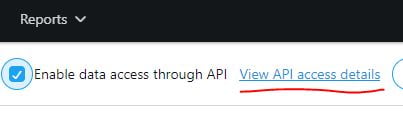
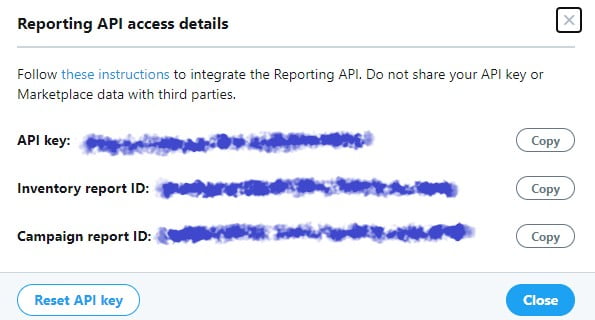
3. Click the View API access details link. Now you can see both API key and Inventory report ID in the popup box.
Source: https://developers.mopub.com/publishers/ui/publisher-reporting-api/